Apple Watch Sleep Score Apps: Best Options for Sleep Quality Tracking 2025
Apple Watch is one of the most accurate consumer sleep trackers available, but Apple's native Sleep app doesn't provide a simple sleep score. Many users want a clear, numerical representation of their sleep quality - something they can track over time and work to improve. Fortunately, several excellent third-party apps fill this gap, offering comprehensive sleep scoring systems specifically designed for Apple Watch users.
Key Insight: Sleep scores are valuable tools, but understanding how they're calculated and what factors you can control is more important than achieving perfect numbers.
Understanding Sleep Scores: The Basics
Sleep scores have revolutionized how we think about sleep quality, providing a simple numerical representation of complex physiological processes that occur during sleep. These scores typically range from 0-100 and attempt to distill multiple sleep metrics into a single, easy-to-understand number.
What Sleep Scores Typically Measure:
- •Sleep Duration: Total time spent asleep, usually compared to recommended amounts for your age
- •Sleep Efficiency: Percentage of time in bed actually spent sleeping (85%+ is considered good)
- •Sleep Stages: Time spent in light, deep, and REM sleep phases
- •Restfulness: How much you moved or were disturbed during sleep
- •Heart Rate Patterns: Heart rate variability and resting heart rate during sleep
Related: Learn more about what constitutes a good sleep score across different devices and platforms.
Benefits of Sleep Scoring
- • Simplifies complex sleep data into actionable insights
- • Helps identify patterns and trends over time
- • Motivates consistent sleep habits through gamification
- • Provides objective measurement of sleep quality
Limitations to Consider
- • Algorithms vary significantly between devices
- • May not account for individual sleep needs
- • Can create anxiety about achieving perfect scores
- • External factors often aren't considered
Why Use Third-Party Sleep Score Apps?
Third-party sleep score apps for Apple Watch often provide more detailed analysis than Apple's native app. While Apple focuses on sleep duration and consistency, third-party apps can offer insights into sleep efficiency, restoration quality, heart rate variability during sleep, and how daily habits affect sleep quality. These apps typically combine Apple's accurate sleep stage detection with additional algorithms to create meaningful sleep scores.
Comparing Top Apple Watch Sleep Score Apps
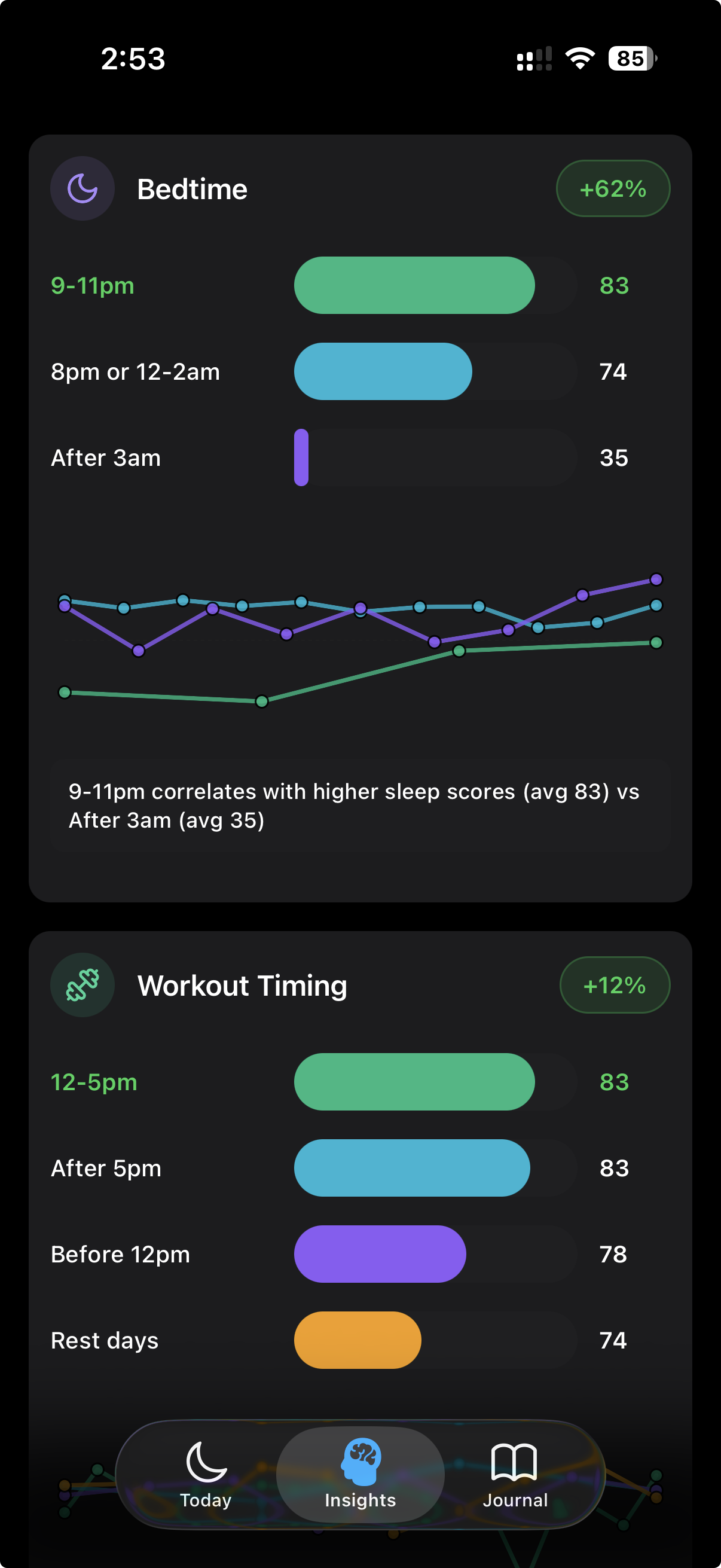
The leading Apple Watch sleep score apps each have unique strengths. AutoSleep provides automatic tracking with no setup required, offering a sleep score based on movement, heart rate, and sleep quality. Sleep Cycle offers detailed sleep stage analysis with a quality percentage score. Pillow provides comprehensive sleep metrics with a user-friendly interface. Reverie stands out by combining sleep scoring with daily habit tracking, helping users understand what lifestyle factors impact their sleep quality.
Accuracy Considerations
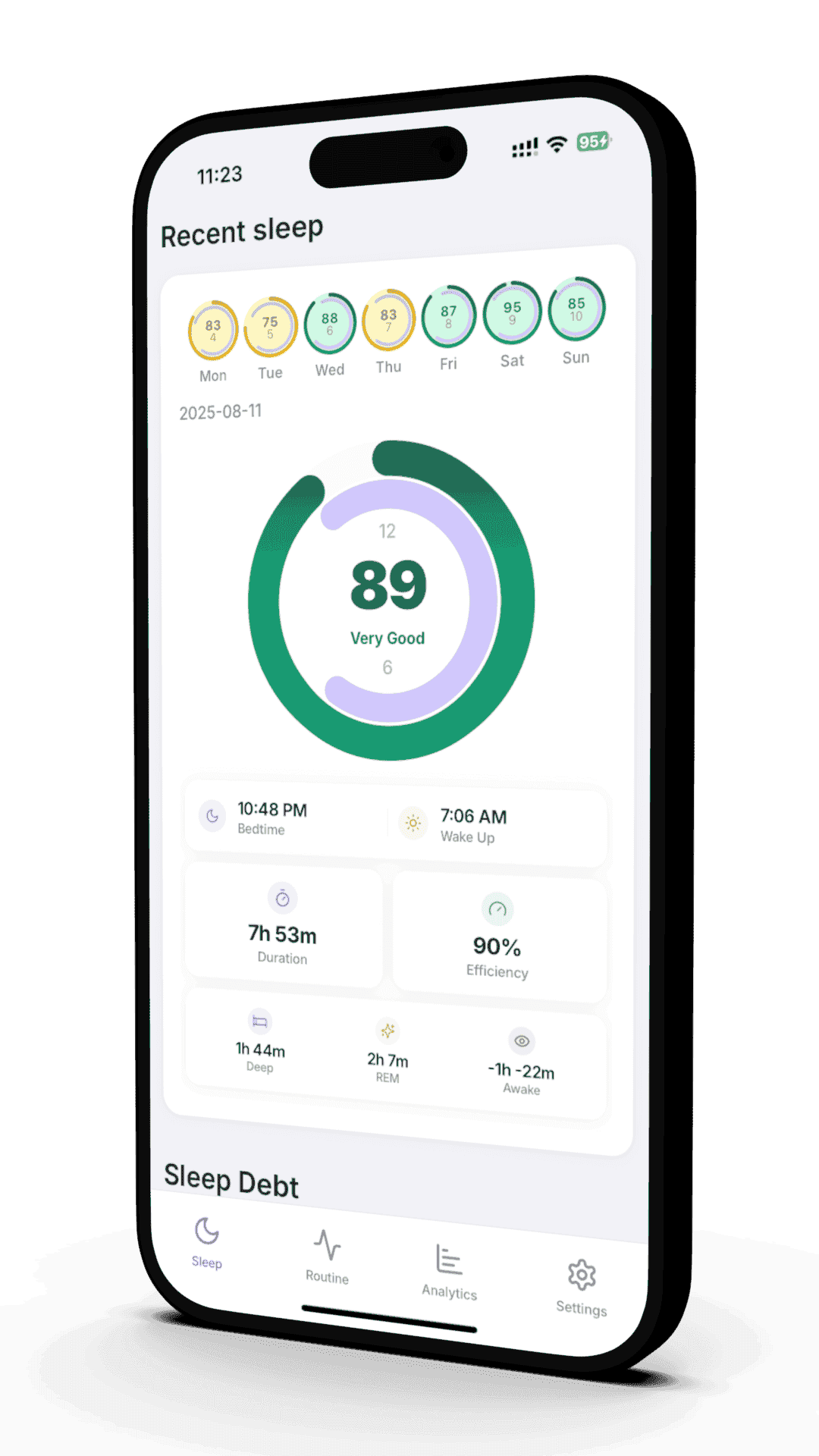
Apple Watch sleep score accuracy depends on both the device's sensors and the app's algorithm. Apple Watch Series 4 and newer models include advanced sensors for heart rate, movement, and blood oxygen (Series 6+), providing rich data for sleep analysis. However, each app interprets this data differently, leading to varying sleep scores for the same night. The key is finding an app whose scoring methodology aligns with how you feel upon waking.
Interpreting Scores
Sleep scores typically range from 0-100, but the interpretation varies by app. Generally, scores above 80 indicate excellent sleep, 60-79 suggest good sleep, and below 60 indicates room for improvement. However, focus on trends rather than individual night scores. A consistent score in the 70s with good energy levels is better than erratic scores ranging from 50-90. Pay attention to how scores correlate with how you actually feel.
Improvement Strategies
To improve your Apple Watch sleep score, focus on factors the apps typically measure: sleep duration (aim for 7-9 hours), sleep efficiency (time asleep vs. time in bed), and sleep consistency (regular bedtime and wake time). Most apps also factor in restfulness during sleep and time spent in different sleep stages. Creating a relaxing bedtime routine, optimizing your sleep environment, and tracking daily habits that affect sleep can all contribute to better scores.
Data Privacy
When choosing a sleep score app for Apple Watch, consider data privacy. Apps that store data locally on your device or use Apple's HealthKit framework generally offer better privacy protection. Avoid apps that require uploading sleep data to external servers without clear privacy policies. Apple's HealthKit ensures that your health data remains encrypted and under your control.
Conclusion
The best Apple Watch sleep score app depends on your specific needs and preferences. If you want automatic tracking with minimal setup, AutoSleep is excellent. For detailed sleep stage analysis, consider Sleep Cycle or Pillow. If you're serious about sleep optimization and want to understand how daily habits affect your sleep, Reverie offers the most comprehensive approach by combining sleep scoring with lifestyle tracking.
How to Improve Your Sleep Score
Regardless of which device or app you use, certain fundamental principles can help improve your sleep score. Focus on these evidence-based strategies that address the core components most sleep scoring algorithms measure.
Prioritize Sleep Consistency
Go to bed and wake up at the same time every day, including weekends. Consistency is often weighted heavily in sleep score algorithms and has the most significant impact on sleep quality. Even a 30-minute variation can affect your score.
Optimize Sleep Duration
Aim for 7-9 hours of sleep for adults, 8-10 hours for teenagers, and 9-11 hours for children. Most sleep scores heavily weight actual sleep time against recommended amounts, so consistently getting adequate sleep is crucial for higher scores.
Improve Sleep Efficiency
Sleep efficiency (time asleep vs. time in bed) above 85% is considered good. Create a relaxing bedtime routine, avoid screens before bed, and only use your bed for sleep and intimacy to improve efficiency.
Track Daily Habits
Monitor how daily activities affect your sleep score. Caffeine after 2 PM, intense exercise within 3 hours of bedtime, large meals close to sleep, and alcohol consumption can all negatively impact sleep quality and scores.
Optimizing Your Sleep Environment
Your sleep environment plays a crucial role in sleep quality, though it's not always directly measured by sleep tracking devices. Creating optimal conditions can improve both your actual sleep and your sleep score.
Temperature Control
Keep your bedroom between 65-68°F (18-20°C). A cool environment promotes deeper sleep and can improve sleep efficiency metrics that contribute to higher sleep scores.
Light Management
Use blackout curtains or eye masks to eliminate light. Even small amounts of light can disrupt sleep stages, particularly REM sleep, which is measured by most sleep scoring systems.
Noise Reduction
Use earplugs, white noise machines, or apps to mask disruptive sounds. Consistent, low-level background noise is better than intermittent loud sounds that can fragment sleep.
Comfort Optimization
Invest in a comfortable mattress and pillows that support your preferred sleep position. Discomfort leads to more movement during sleep, which can negatively affect restfulness scores.
Advanced Sleep Tracking with Reverie
While basic sleep scores provide valuable insights, advanced sleep tracking goes beyond simple metrics to help you understand the complex relationship between your daily habits and sleep quality. This is where comprehensive apps like Reverie excel.
How Reverie Enhances Sleep Scoring

Common Sleep Score Mistakes to Avoid
Many people make common mistakes when interpreting and trying to improve their sleep scores. Understanding these pitfalls can help you use sleep scores more effectively as tools for better sleep.
Avoid These Common Pitfalls
Obsessing Over Perfect Scores
Focusing too much on achieving perfect sleep scores can create anxiety that actually worsens sleep quality. Use scores as general guides, not absolute measures of health.
Comparing Scores Across Different Devices
Different devices use different algorithms, making direct score comparisons meaningless. Focus on trends within your chosen device rather than comparing with others.
Ignoring How You Actually Feel
A lower sleep score doesn't necessarily mean you had poor sleep if you feel rested and energetic. Trust your body's signals alongside the data.
Making Drastic Changes Based on Single Night Scores
Sleep scores can vary significantly night to night due to many factors. Look for patterns over weeks, not individual nights.
The Future of Sleep Scoring
Sleep scoring technology continues to evolve, with new sensors, algorithms, and approaches emerging regularly. Understanding where the field is heading can help you make informed decisions about sleep tracking investments.
Improved Sensor Technology
Next-generation wearables will include more sophisticated sensors for blood oxygen, skin temperature, and even blood glucose monitoring, providing richer data for more accurate sleep scoring.
AI-Powered Personalization
Machine learning algorithms will become better at personalizing sleep scores based on individual patterns, health conditions, and lifestyle factors, moving beyond one-size-fits-all scoring systems.
Environmental Integration
Future sleep tracking will incorporate environmental data like room temperature, humidity, air quality, and noise levels to provide more comprehensive sleep quality assessments.
Predictive Analytics
Advanced algorithms will predict sleep quality based on daily activities, helping users make real-time adjustments to optimize their sleep before bedtime.
Related Sleep Score Articles
Apple Watch Sleep Score Apps
Find the best Apple Watch sleep score apps and learn how to track your sleep quality effectively.
Fitbit Sleep Score Guide
Complete guide to understanding and improving your Fitbit Sleep Score for better sleep quality.
Oura Ring Sleep Score
Master your Oura Sleep Score with this comprehensive guide to ring-based sleep analysis.
Apple Watch Sleep Tracking Guide
Complete guide to Apple Watch sleep tracking setup, accuracy, and optimization tips.
Ready to Optimize Your Sleep Score?
Join our beta program and discover how Reverie combines Apple Watch sleep tracking with daily habit analysis to provide the most comprehensive sleep scoring available.
✓ Free beta access ✓ Advanced sleep analysis ✓ Daily habit tracking ✓ Requires Apple Watch
Join 50 beta testers already optimizing their sleep
Written by the Reverie Team
Based on sleep science research and user testing