AutoSleep vs Sleep++ (2026): Apple Watch App Comparison
AutoSleep and Sleep++ are two of the longest-running sleep trackers on the App Store. They take very different approaches. One charges a small one-time fee and gives you a wall of data. The other is free and shows you the basics. Here is how to pick.
Key Insight: Both apps read the same Apple Watch sensors. The difference is what they do with the data — AutoSleep adds heart rate, HRV, and a readiness score, while Sleep++ keeps it short and simple.
A Quick History of Both Apps
Sleep++ was one of the first sleep trackers built for Apple Watch. Indie developer David Smith launched it in 2015. The app was tiny on purpose. It used motion data from the Watch to guess when you were asleep, and it showed you a simple bar chart in the morning. Version 3.0 added automatic sleep detection so you do not have to tell the app when you are going to bed.
AutoSleep, made by Tantsissa, came out in 2016. It went the other direction. From day one it tried to squeeze every bit of insight out of the Watch sensors. It built its own algorithm to detect sleep without you tapping anything. Over the years it added heart rate analysis, HRV, time-in-bed tracking, a readiness score, and a long list of charts.
Apple eventually added native sleep tracking in watchOS 7, and sleep stages in watchOS 9. That changed the playing field for both apps. Sleep++ now mostly mirrors Apple's data with cleaner charts. AutoSleep can either use Apple's sleep stage data or fall back to its own algorithm — your choice in settings.
Pricing in April 2026
Pricing is the easiest place to start. Neither app uses a heavy subscription model, which is rare for sleep apps in 2026.
AutoSleep
$7.99 one time
Single payment on the App Store. No ads. No subscription. New features come in free updates. You own it forever on the Apple ID you bought it with.
Sleep++
Free
Free with light banner ads. A one-time $1.99 in-app purchase removes the ads. Every tracking feature works in the free version, with no hidden paywall.
Compare that to Sleep Cycle Premium, which has climbed to roughly $60 per year in 2026, and you can see why both of these apps still have loyal user bases. A $7.99 one-time fee is less than three months of most subscription sleep apps.
What Each App Tracks
Both apps read the same raw data — motion from the accelerometer, heart rate from the optical sensor, and (on newer Watch models) the sleep stages estimated by Apple's own algorithm. Where they differ is what they show you on top of that data.
Sleep++ — the basics, well presented
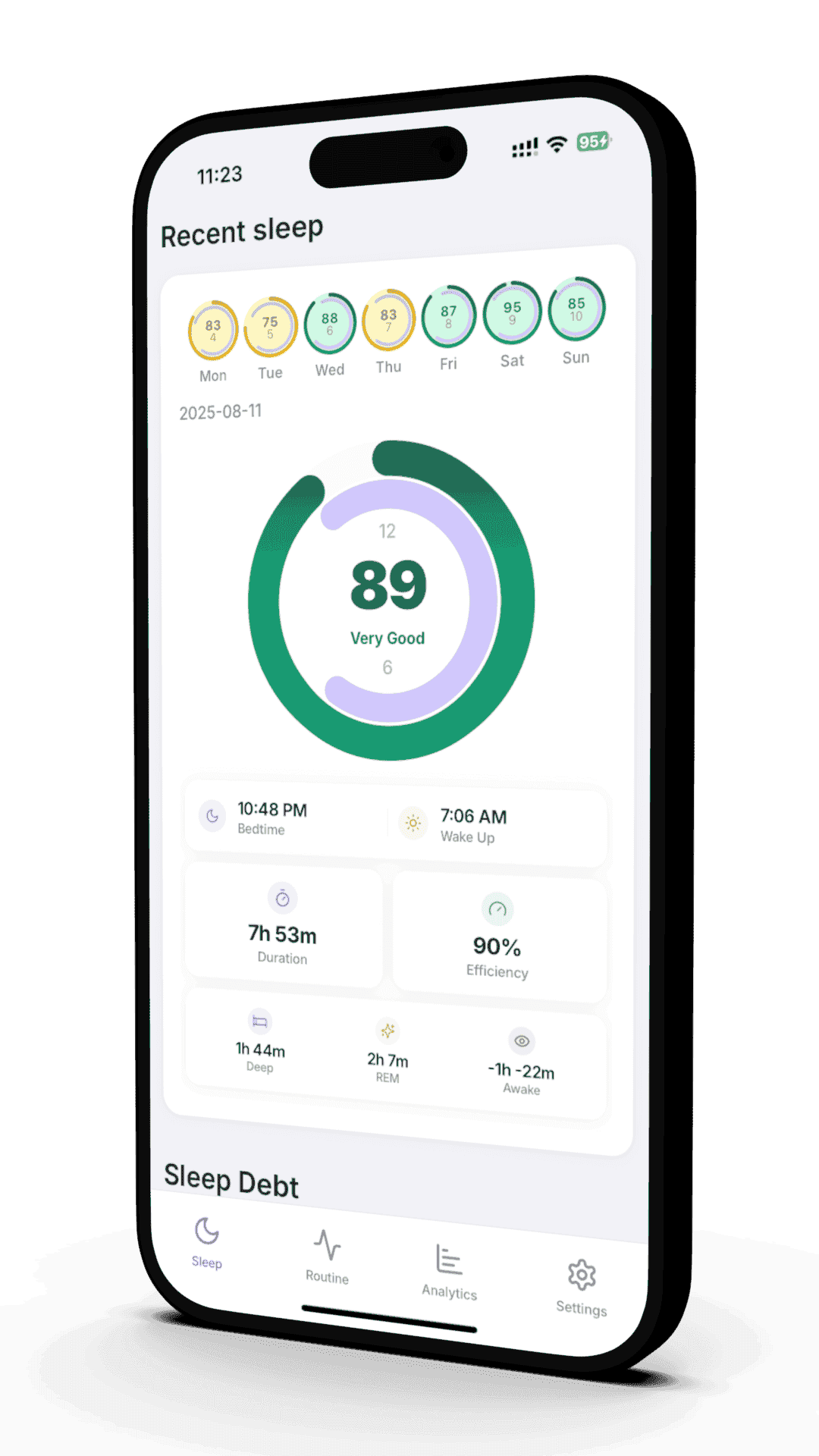
Total sleep time. Time in bed. A simple deep, core, REM, and awake breakdown using Apple's sleep stages. Restlessness graph showing when you moved during the night. A weekly view of your sleep trend. That is essentially it, and that is the point.
AutoSleep — the kitchen sink
Everything Sleep++ shows, plus: average sleeping heart rate, dipping heart rate (how much it dropped overnight), HRV trends, oxygen saturation if your Watch supports it, sleep debt over a 7-day window, a "readiness" rating each morning, ring-style daily goals, and detailed comparisons across weeks and months.
If you are curious about the heart rate and HRV side of things, our guide to HRV during sleep explains what those numbers actually mean for recovery. AutoSleep surfaces them clearly. Sleep++ does not show HRV at all.
Accuracy: How Both Compare to the Gold Standard
A common question is which app is "more accurate." The honest answer: accuracy mostly comes down to the Apple Watch hardware, not the app on top of it. Both Sleep++ and AutoSleep use the same sensor data.
Validation studies of consumer wearables have generally found that wrist-worn devices like Apple Watch are good at detecting total sleep time and time in bed, but less reliable at scoring individual sleep stages compared to polysomnography (the EEG-based gold standard used in sleep labs). Roberts et al. (2020) reviewed this across many consumer trackers and found wake-versus-sleep detection is strong while stage-level scoring is hit or miss.
Chinoy et al. (2021) tested several consumer trackers including Apple Watch against polysomnography. They reported that Apple Watch performed comparably to research-grade actigraphy for total sleep time, but stage-by-stage agreement was lower — especially for REM and deep sleep. That limitation applies to both AutoSleep and Sleep++ since they pull from the same underlying signal.
Research Spotlight
Chinoy et al., "Performance of seven consumer sleep-tracking devices compared with polysomnography," Sleep, 2021. Found that consumer wearables, including Apple Watch, generally agree with polysomnography on total sleep time but show variability when scoring REM, deep, and light sleep stages.
AutoSleep does have one accuracy edge in practice: it can detect sleep more aggressively, sometimes catching short naps and unusual schedules that Sleep++ or Apple's native tracker miss. Some Reddit users report that AutoSleep occasionally over-counts time in bed as sleep, especially if you read with the Watch on. Sleep++ tends to under-count in the same situations. Neither is perfect.
Setup and Daily Use
Setup is where the philosophies of these apps really show.
Sleep++ setup
Install the iPhone app. Grant Health permissions. Done. There is no Watch app to fiddle with — it just reads Apple Health. Open it in the morning to see last night's chart. Two taps to navigate the entire app.
Best for: people who want a "set and forget" view that is easier to read than the Health app.
AutoSleep setup
Install the iPhone app and the Watch app. Run the calibration wizard, which asks about your typical bedtime, whether you wear the Watch to bed, and which sensors are on. The first few mornings you may need to tweak settings if it misses or over-detects sleep.
Best for: people who want full control and are willing to spend a little time tuning the app.
Both work without you having to start a session manually, which is a big improvement on the early days of Apple Watch sleep tracking. If you want a deeper dive on getting the Watch itself dialed in, our complete guide to Apple Watch sleep tracking walks through Focus modes, Sleep Schedules, and battery tips.
How They Compare to Native Apple Health
A fair question: do you even need a third-party app in 2026? Apple Health on iPhone now shows sleep stages, time in bed, sleep schedule consistency, and basic trends. For a lot of people, that is enough.
Where Apple Health falls short is interpretation. It shows numbers and bar charts but does not tell you if a night was good, average, or bad. It does not summarize a week. It does not link sleep quality to behaviors during the day. We covered this in detail in sleep tracking app vs Apple Health.
Sleep++ is essentially a friendlier reader of Apple Health data. AutoSleep adds genuinely new analysis — heart rate dipping, HRV trends, a readiness score — that Apple Health does not surface in any digestible way.
Who Each App Is For
Pick Sleep++ if…
- You want a free app that is friendlier than the Health app
- You only care about total sleep and rough sleep stage breakdowns
- You hate dashboards full of numbers
- You want to support an indie developer with a small one-time tip
Pick AutoSleep if…
- You care about heart rate, HRV, and readiness — not just hours slept
- You like data and want to compare weeks and months
- You want a "readiness" or score-style summary in the morning
- You are happy spending an evening tuning settings to your sleep style
Both are honest, well-built apps. Neither tries to upsell you on subscriptions. If you are unsure, start with Sleep++ since it is free, and graduate to AutoSleep if you find yourself wishing for more depth. If you want to see how Apple's own score system stacks up, our guide to the Apple Watch sleep score is a useful companion read.
Where Reverie Fits In
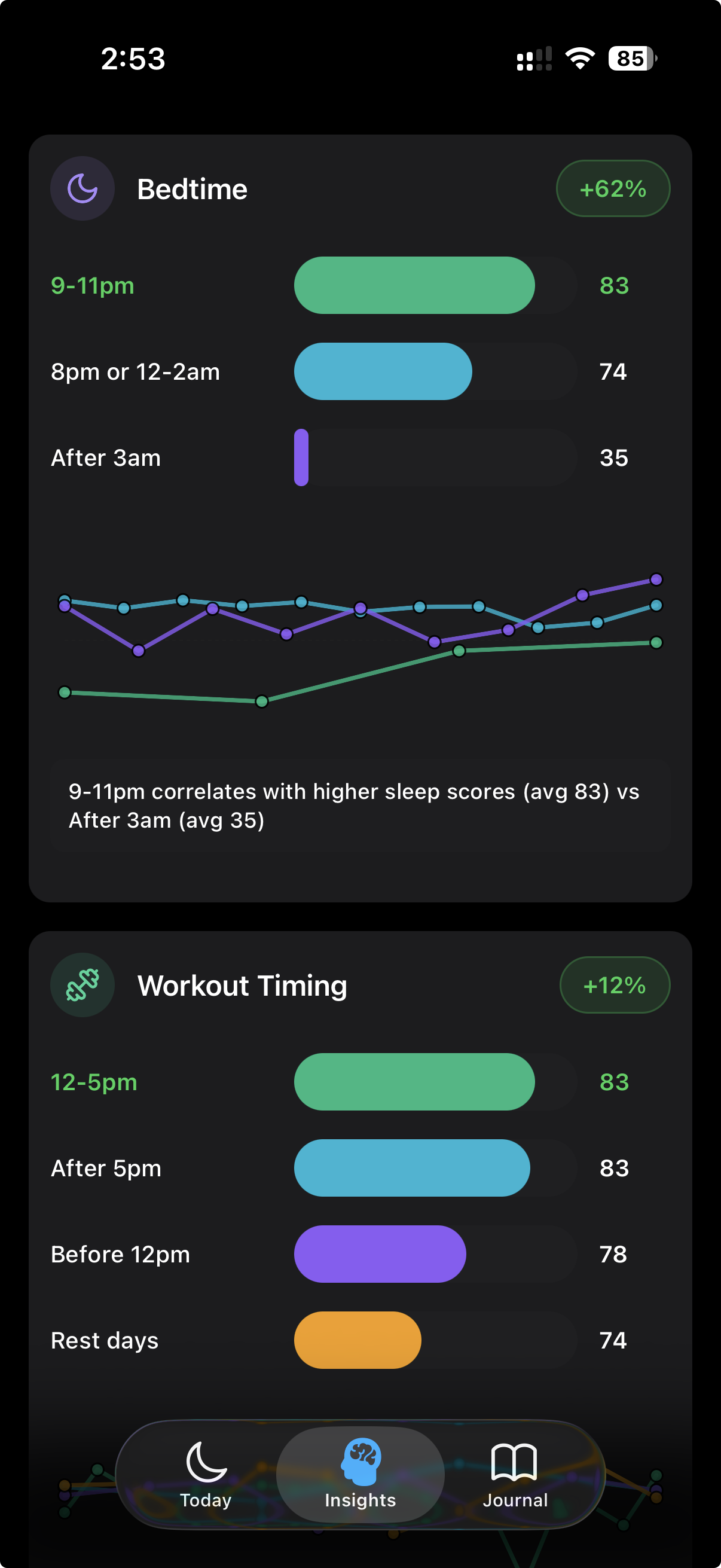
Reverie reads the same Apple Health data that Sleep++ and AutoSleep use, so it does not replace your sensor pipeline. What it adds is the layer most sleep apps skip: connecting your sleep numbers to the things you did during the day. Caffeine timing, late workouts, alcohol, screen time, room temperature, stress.
If AutoSleep tells you "your deep sleep was 12% lower this week" and Sleep++ shows you a flatter chart, Reverie tries to answer "why" — the daily inputs that line up with your worst nights and your best ones. You can run Reverie alongside either app without conflict.
A Reasonable Stack for 2026
- • Apple Watch + watchOS Sleep — captures the raw data
- • Sleep++ or AutoSleep — reads and visualizes that data
- • Reverie — connects sleep quality to daily habits and patterns
References
- Chinoy ED, et al. "Performance of seven consumer sleep-tracking devices compared with polysomnography." Sleep. 2021;44(5):zsaa291. PubMed
- Roberts DM, Schade MM, Mathew GM, Gartenberg D, Buxton OM. "Detecting sleep using heart rate and motion data from multisensor consumer-grade wearables." Sleep. 2020;43(7):zsaa045. PubMed
- Voss C, et al. "Accuracy of Three Commercial Wearable Devices for Sleep Tracking in Healthy Adults." Sensors. 2024;24(20):6532. PubMed Central
- Viticchi G. "Sleep++ 3.0 Brings Automatic Sleep Detection on Apple Watch." MacStories. MacStories
- Tantsissa. "AutoSleep Overview." autosleepapp.tantsissa.com. Source
- Apple Inc. "Track your sleep with Apple Watch." Apple Support. Apple Support
Related Articles
Complete Guide to Apple Watch Sleep Tracking
Setup, accuracy tips, and how to get the most from your Apple Watch for sleep.
Sleep Tracking App vs Apple Health
When the built-in Health app is enough — and when a dedicated app pulls ahead.
Want Habit Context With Your Sleep Data?
Reverie reads your Apple Watch sleep data and connects it to the daily habits that shape your nights. Run it alongside Sleep++ or AutoSleep — it will not double-count anything.
Free beta access. Shape the product. First to get updates. Requires Apple Watch.
Written by the Reverie Team
Based on hands-on use and validation research