How to Improve Garmin Sleep Score: What Works
To improve your Garmin sleep score, sleep longer, keep the same wake time every day, and lower your body's stress overnight. Late alcohol, late caffeine and a warm bedroom are the usual things that drag the number down.
This guide is about the actions that move the score. If you only want to know what the number means, see our Garmin sleep score breakdown. Here we'll look at each input, what's in your control, and what to change first.
Key Insight: Garmin's sleep score rewards enough sleep, calm overnight stress and a steady routine, so the fastest gains come from a fixed wake time, more total sleep, and cutting late alcohol and caffeine.
What goes into your Garmin sleep score?
Garmin says your score is a 0–100 number based on how long and how well you slept. It's powered by Firstbeat Analytics. Garmin doesn't publish the exact formula, so be wary of any site that gives precise percentages for each part.
What Garmin does tell us is that the score looks at three things. Think of them as your levers.
- • Duration: how much you slept. Garmin says needs depend partly on age, generally 7 to 9 hours, so your birth date in Garmin Connect matters.
- • Stages and quality: time in light, deep and REM sleep, plus how much you were awake or restless.
- • Stress during sleep: Garmin includes your average stress score while you sleep. It's based on heart rate variability (HRV), a measure of how well your body is recovering.
Stages are estimates
Your watch can't see your brain. It estimates stages from heart rate, HRV and movement. So treat the stage numbers as a rough guide, and trust the trend over any single night.
What's a good Garmin sleep score?
Garmin labels 90–100 as excellent. Below that it uses good, fair and poor labels. Its own examples show an 82 as good and a 49 as poor. Garmin also reported that the average user score in 2024 was in the fair range, around 71.
So a 75 to 85 is a solid night for most people. Very few people average in the excellent range. Chasing a 95 every night usually backfires, because worrying about sleep can keep you awake.
A better goal is moving your own average up by a few points over a few weeks. For a wider look at score ranges across brands, read what is a good sleep score.
Which inputs move the score the most?
Garmin doesn't rank the inputs, so we can't tell you exactly how many points each is worth. Still, the logic of the score points to a clear order of attack.
1. Duration
If you're short on sleep, nothing else will fully make up for it. The CDC says adults 18 to 60 need 7 or more hours per night. If you routinely get 6, adding 30 to 45 minutes is the single easiest lift. Carrying a running shortfall also hurts, which we cover in our guide to sleep debt.
2. Stress during sleep
A high overnight stress reading means your body wasn't relaxing well. Alcohol, a late heavy meal, a hard late workout and a hot room are common causes. Our posts on alcohol and sleep and exercise timing explain why.
3. Stages and awake time
You can't directly order your watch to give you more deep sleep. But you can cut the things that break sleep up, like noise, light, heat and late caffeine. Fewer wake-ups also lift your sleep efficiency, and that tends to improve the score.
How do you raise your Garmin sleep score? A step-by-step plan
Try these in order, one change at a time
1. Fix your wake time
Get up at the same time every day, weekends too. The Sleep Foundation lists a consistent schedule as a core sleep habit. Garmin's own insights also nudge you toward consistent timing. See why regular bedtimes beat perfect sleep.
2. Protect your sleep window
Set your sleep schedule in the Garmin Connect app so the watch knows when you plan to sleep. Then work backward from your wake time and leave 7 to 8 hours for sleep.
3. Cut caffeine after midday
The Sleep Foundation and CDC both advise avoiding caffeine in the afternoon and evening. If your score is low and you feel tired, you may be using caffeine to cover for poor sleep. More in caffeine and sleep.
4. Move alcohol earlier, or skip it
Alcohol may help you drift off, but its effects wear off and can disrupt sleep later in the night. That tends to show up as more awake time and higher overnight stress. Skip it for a week and compare.
5. Cool and darken the room
The Sleep Foundation suggests a cool room, around 65°F, with light and noise blocked. Our bedroom temperature guide covers how to get there.
6. Power down screens
Put phones, tablets and laptops away 30 to 60 minutes before bed, as the Sleep Foundation advises. Use that time for something calm.
7. Wear the watch every night
Wear it snug but comfortable, and charge it during the day, not overnight. A watch that's dead or loose gives you missing or noisy data.
How does Body Battery fit in?
Body Battery is separate from the sleep score, but they're linked. Garmin lists sleep as something that recharges Body Battery, while high stress and hard activity drain it. A strong night usually means a higher morning Body Battery.
That gives you a handy cross-check. If your sleep score is fine but you wake up with a low Body Battery, look at the day before. Hard training, a stressful day or an illness could be the cause rather than the night itself.
Garmin also states that eating and stimulants like caffeine don't affect Body Battery directly. But that doesn't mean caffeine can't hurt your sleep. It can, through its effect on how well you fall and stay asleep, and that is what the sleep score picks up.
Should you chase the number?
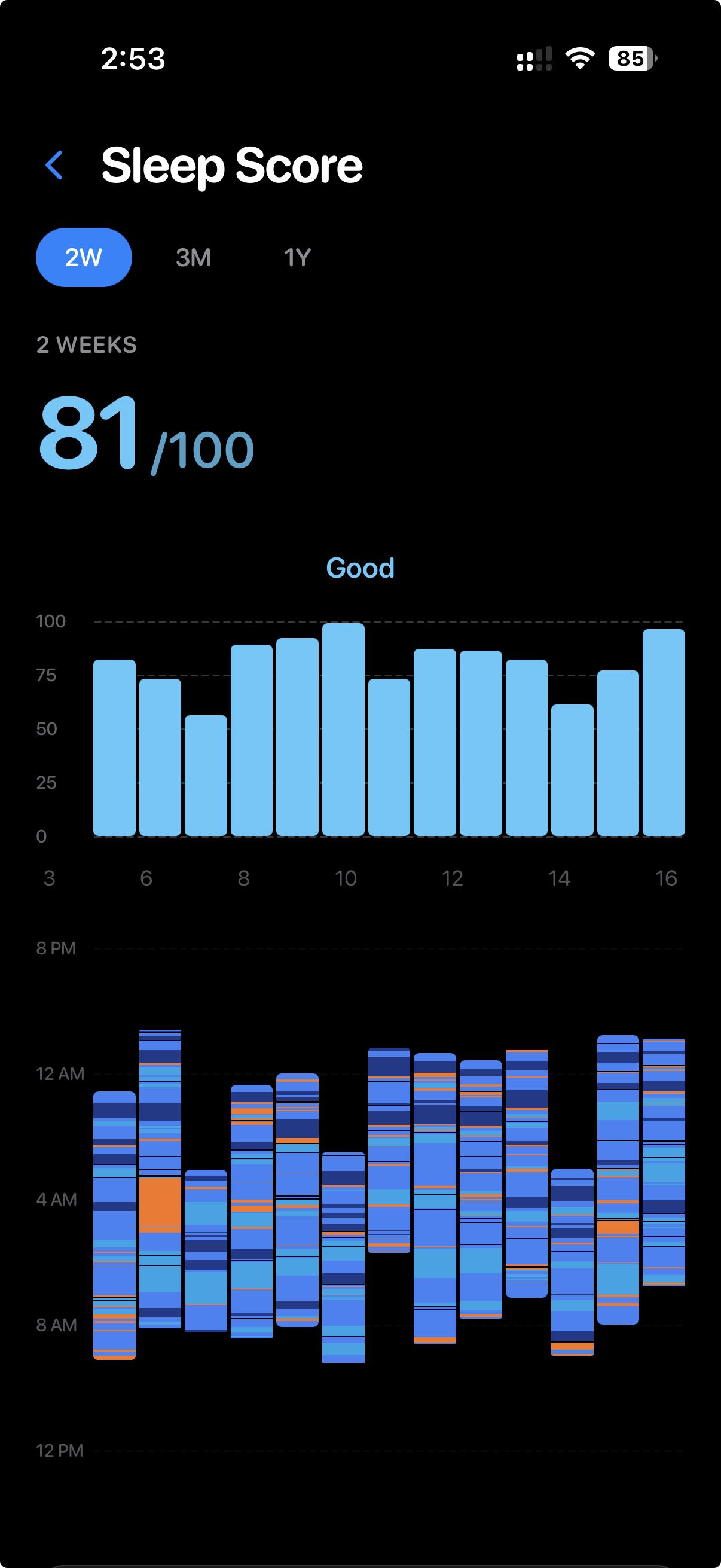
Use the score as a feedback tool, not a grade. A single bad night is normal, and the watch can be wrong. Look at your 7-day and 30-day averages, and note which habits line up with your best nights.
Different brands also score differently, so a Garmin 80 isn't the same as an 80 elsewhere. If you want to compare how scoring works across platforms, our sleep tracking app vs Apple Health guide is a good place to start.
When to talk to a doctor
If your score stays low for weeks despite good habits, or you snore loudly, gasp at night, or feel very sleepy during the day, talk to a doctor. A watch can't diagnose a sleep disorder. Persistent trouble sleeping deserves a real check-up.
Frequently Asked Questions
Why is my Garmin sleep score low even though I slept 8 hours?
Duration is only one input. Lots of awake time, restlessness or a high stress reading during sleep can pull the score down. Late alcohol, a warm room and a hard late workout are common causes.
Can I manually change my Garmin sleep score?
No. The score is calculated from your watch data. You can only change it by changing your sleep, such as sleeping longer, keeping a steady schedule and lowering stress at night.
Does Body Battery affect my sleep score?
Not directly. Both draw on similar overnight data, and Garmin says sleep recharges Body Battery. A good sleep score usually goes with a higher morning Body Battery.
How long does it take to see a better Garmin sleep score?
Some changes, like cutting late alcohol or cooling your room, can show up within a few nights. Habits like a steady wake time take a week or two to show a clear trend.
References
Related Articles
Garmin Sleep Score: Complete Guide to Understanding Your Watch's Sleep Tracking in 2026
Learn how Garmin Sleep Score works, what it measures, and how to improve your sleep quality. Compare Garmin sleep tracking with other devices and discover Reverie.
What is a Good Sleep Score? Understanding Sleep Quality Metrics in 2026
Learn what constitutes a good sleep score across different devices and apps. Understand sleep score ranges, what affects your score, and how to improve your sleep quality.
Sleep Efficiency: The Metric That Matters More Than Duration
Sleep efficiency measures how much of your time in bed is actually spent asleep. Learn why this single number predicts sleep quality better than hours, and how to improve it.
The Power of Sleep Consistency: Why Regular Bedtimes Beat Perfect Sleep
Discover why going to bed at the same time every night is more important than chasing a perfect sleep score. Science-backed insights on sleep consistency and circadian rhythm.
See what really moves your sleep
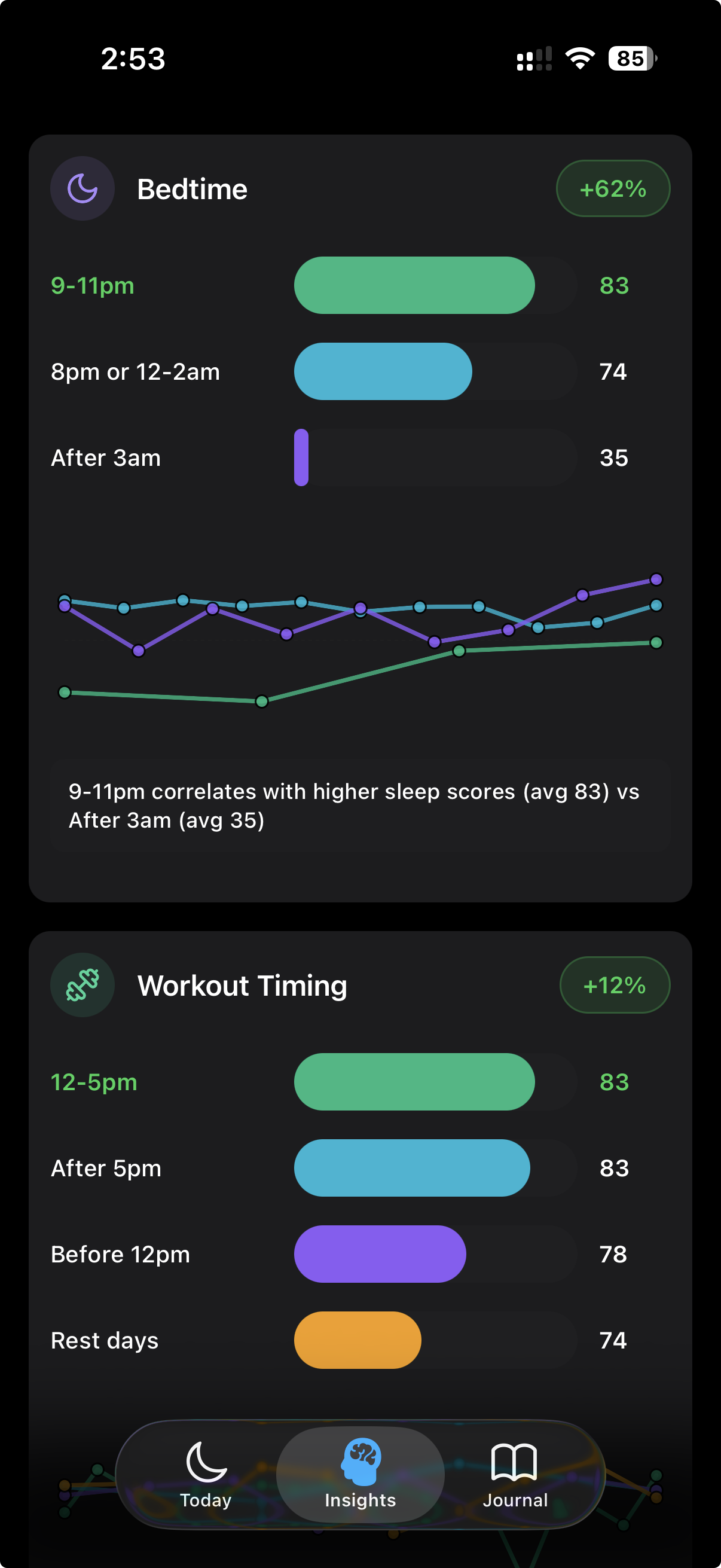
Reverie gives you a Sleep Score, Recovery Score and Strain Score on your iPhone and Apple Watch, and tracks bedtime consistency and sleep debt. Use the habits journal to see which daily choices line up with your best nights.
Free to download. Sleep, Recovery and Strain scores. Requires Apple Watch.
Written by the Reverie Team
Based on published sleep research. This article is for general information and isn't medical advice — talk to a doctor about persistent sleep problems.